One record, four views
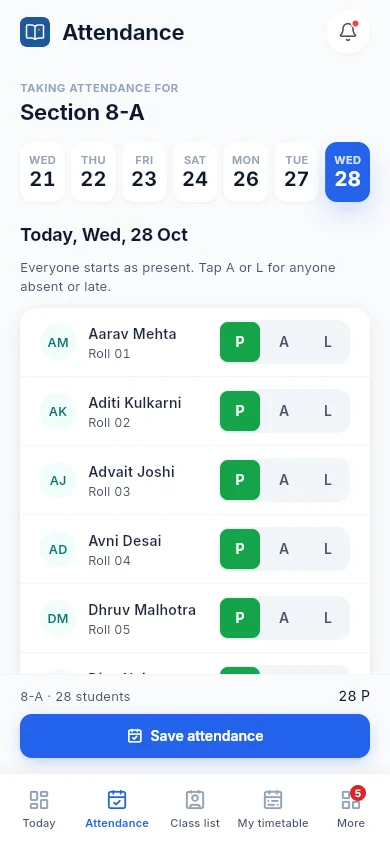
A teacher marks attendance once. The principal sees it on the dashboard, the parent sees it on the phone, the student sees it in their day. Nothing is typed twice.
PrincipalTeachersParentsStudents
Almanac brings attendance, timetables, exams, report cards, fees, gate passes and parent messages together. A web portal for your office and teachers, and a phone app for every family.
Most schools run on paper, spreadsheets and goodwill. Almanac puts it all in one record that every person sees from their side.
Paper registers, totalled by hand every month
Attendance in a few taps, with monthly totals ready the moment it's saved
Notices lost in a dozen WhatsApp groups
Announcements to the right class or section, with a count of who has read them
Parents calling the office for marks, timings and homework
Parents check it all on their phone, any time of day
"I've come to pick her up," and no way to check
A one-day QR gate pass, checked at the gate against registered guardians
Almanac is built around the people who use it every day, not around a spreadsheet.
A teacher marks attendance once. The principal sees it on the dashboard, the parent sees it on the phone, the student sees it in their day. Nothing is typed twice.
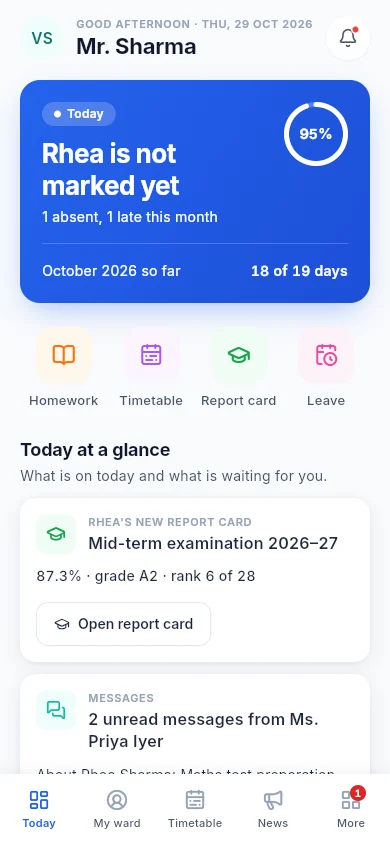
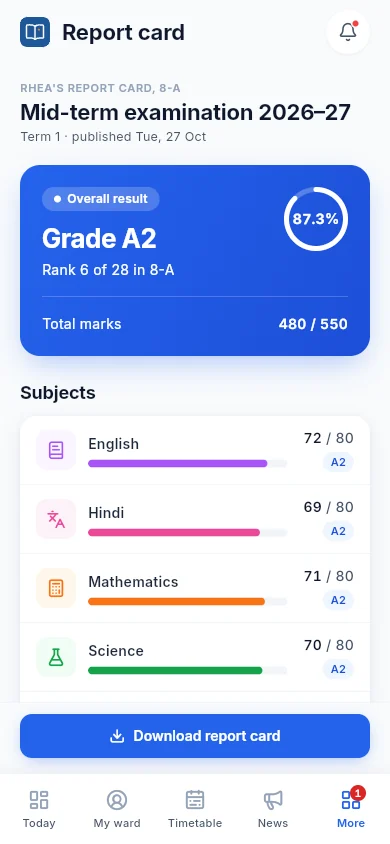
Attendance, homework, what was taught, datesheets, report cards, events and messages from the class teacher reach families without a single call to the office.
Gate passes are a one-day QR code for a registered guardian, checked at the gate in seconds. Every early pickup is on record.
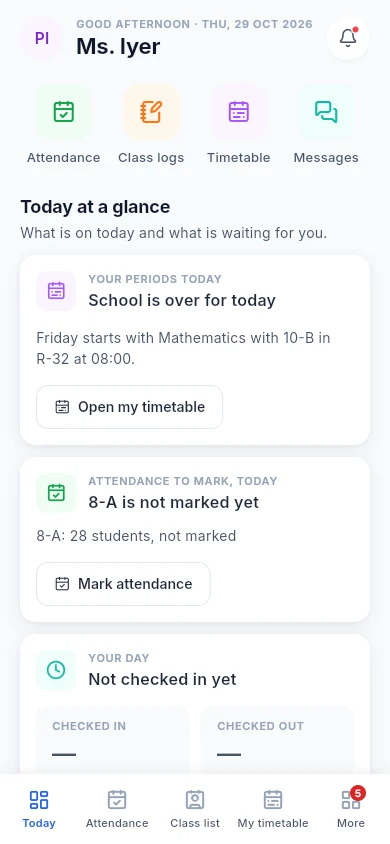
Everyone starts as present, so teachers tap only the exceptions. Marks, class logs and homework go in from the phone between periods.
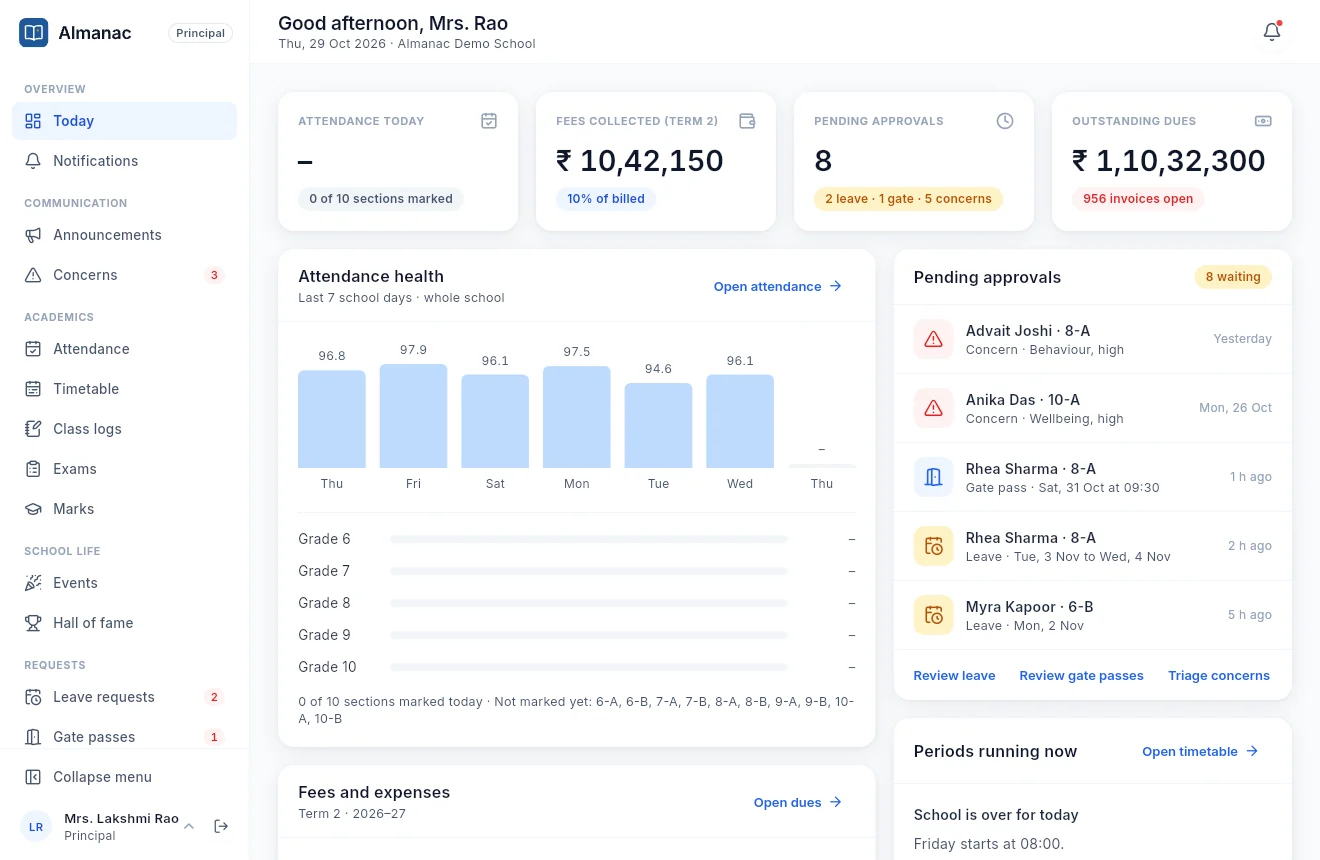
Attendance health, fees collected, dues, pending leave and gate passes, and open concerns, all on one screen each morning.
Each role sees only what it should. Sensitive changes are written to an audit log, and marks are locked before report cards go out. Amounts read in lakhs, times in IST.
The office runs the school from the web portal. Teachers use the portal or their phone. Families use the app.
See the whole school at a glance, then act on what needs you.
Everything a class teacher does in a day, from the phone in their pocket.
Everything about their child, without calling the school.
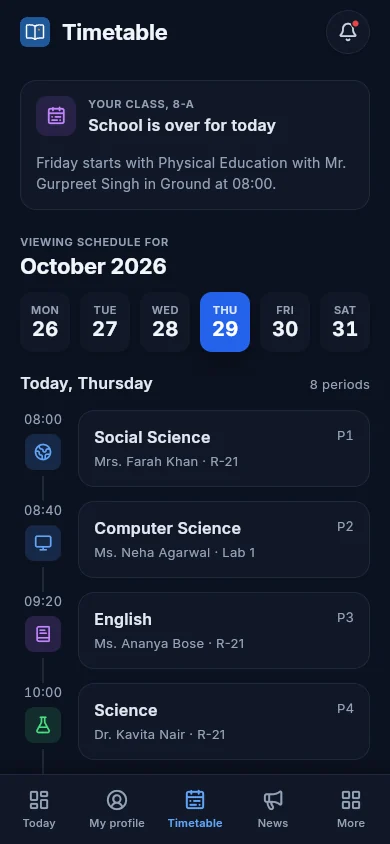
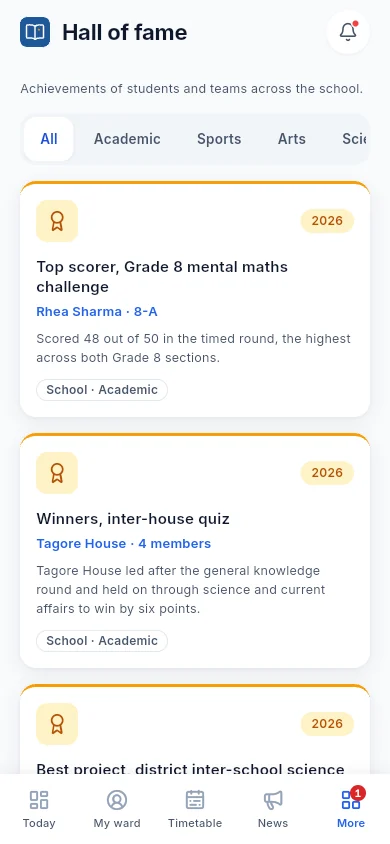
A simple, focused app for students, in light or dark.
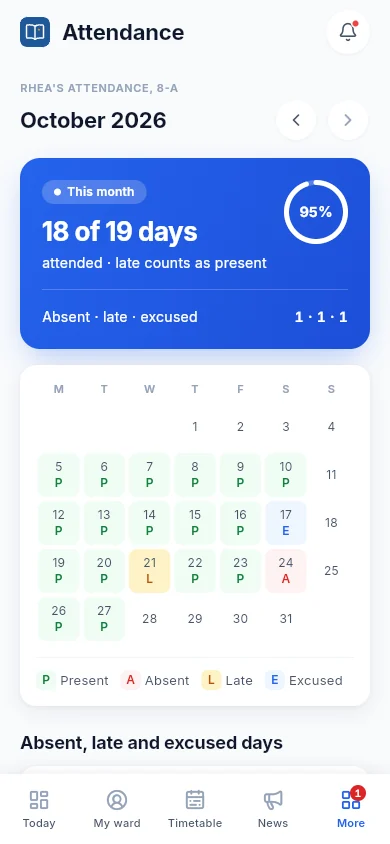
Everyone starts as present. Teachers tap A or L for the exceptions and save. Parents see it the same day, and the monthly register fills itself.
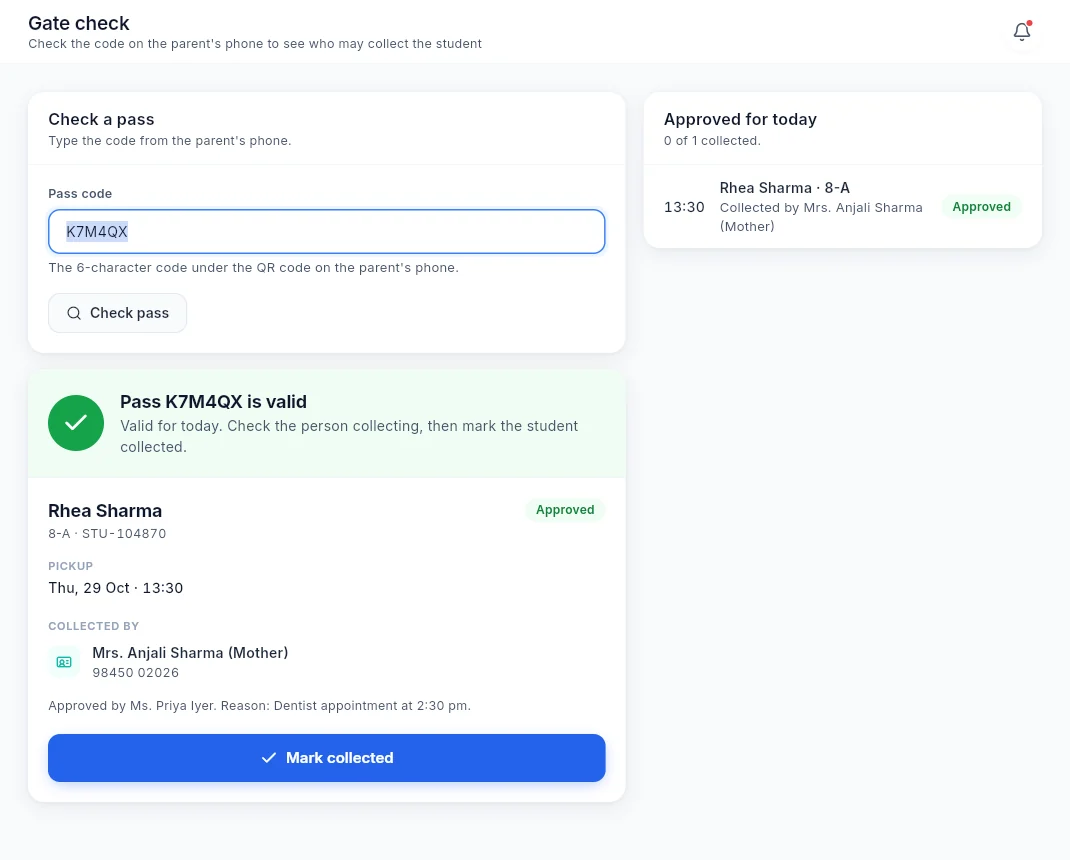
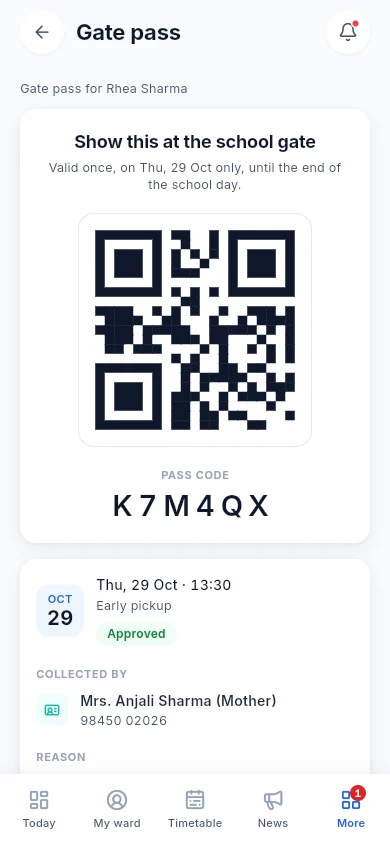
A parent requests an early pickup. The class teacher approves it. The parent gets a QR code and pass code that work once, on that day only, and the gate checks it against the student's registered guardians.
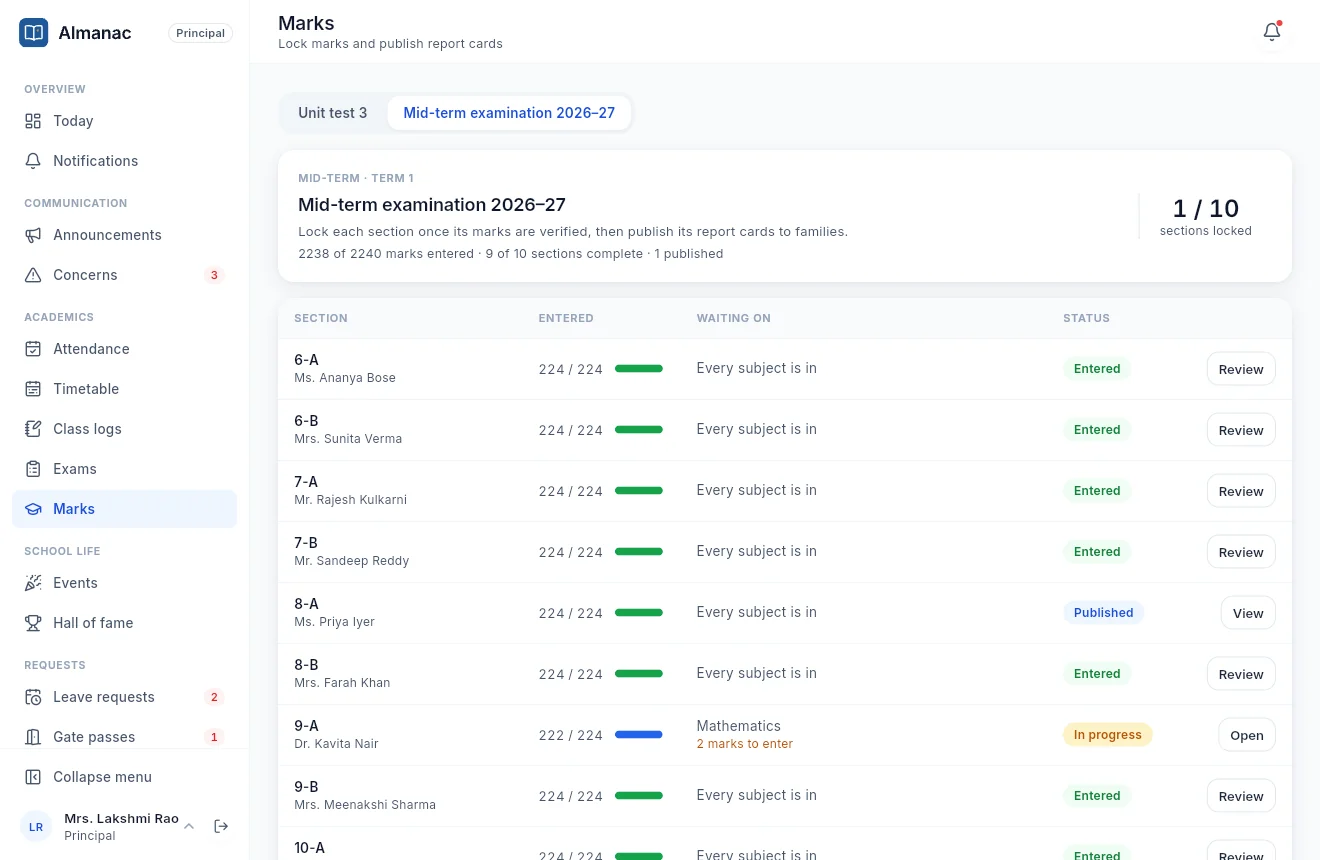
Publish the datesheet, let teachers enter marks section by section, and watch progress fill in. Lock each section once it is checked, then publish report cards to families in one go.
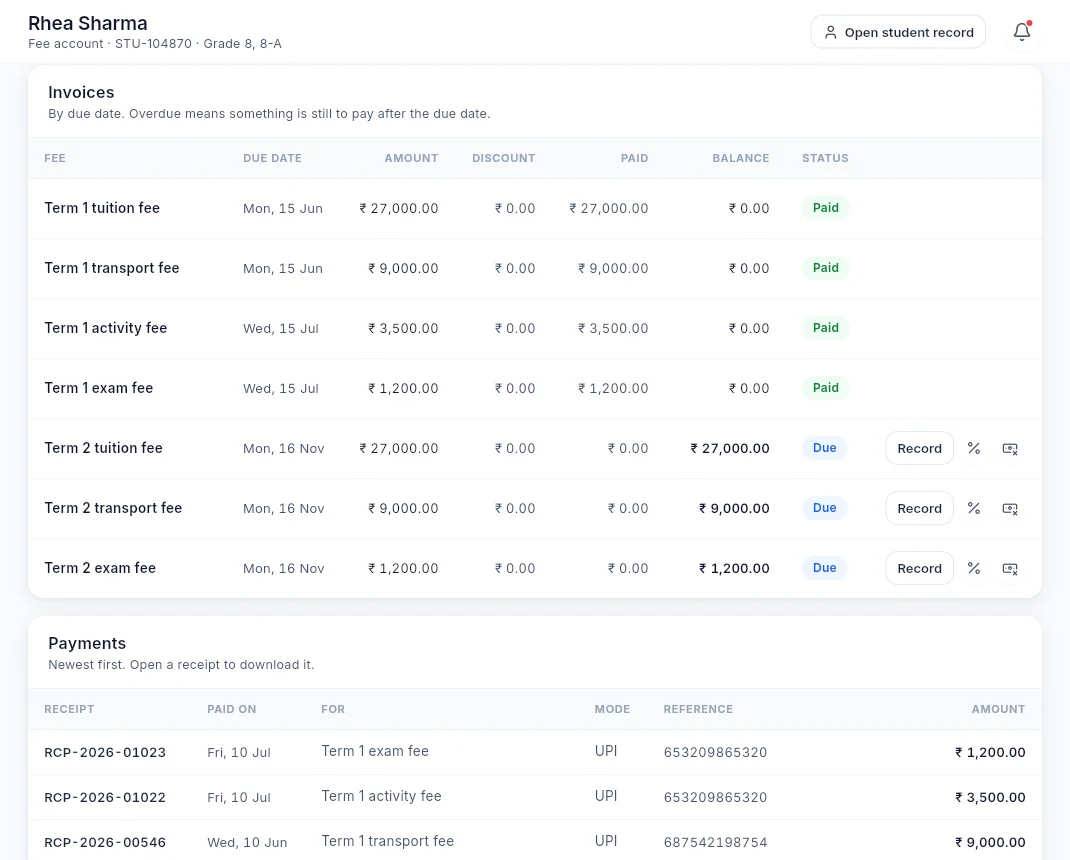
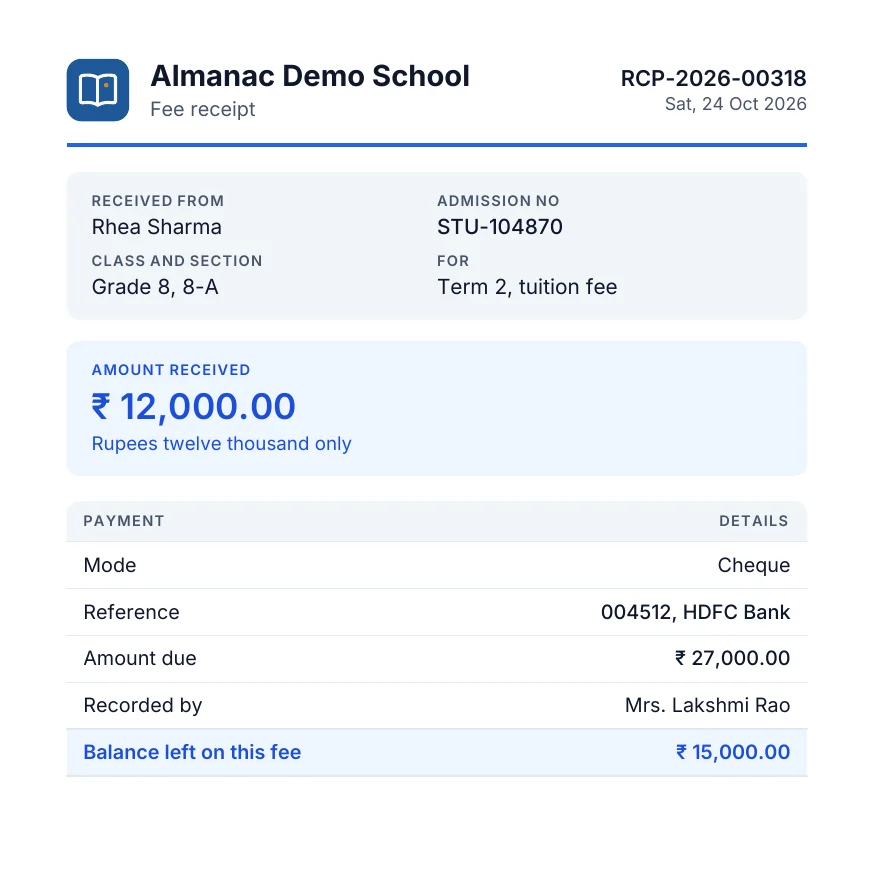
Set fee structures per class, generate a term's invoices in one go, and record payments by cash, cheque, UPI or bank transfer. Every payment gets a numbered PDF receipt.
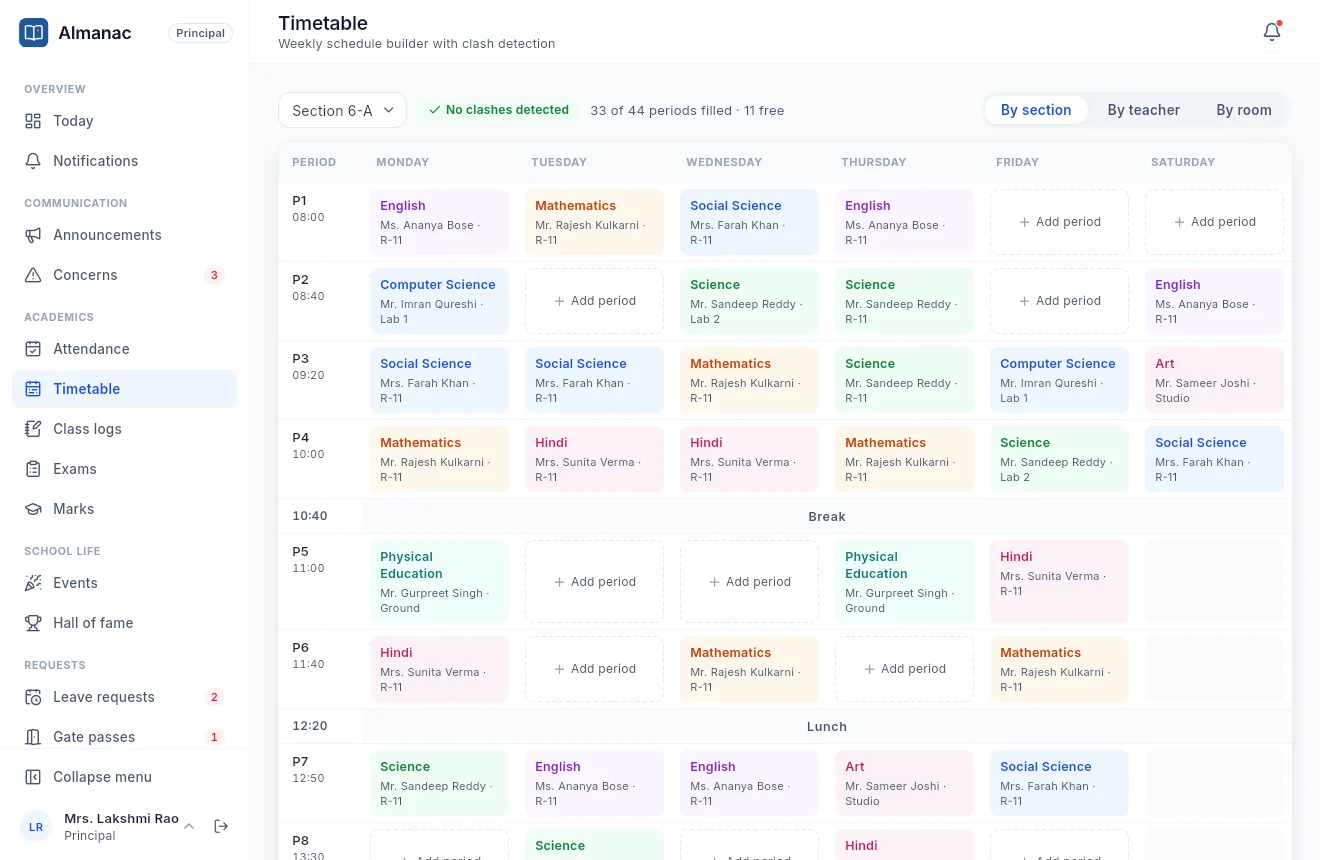
Build each section's week period by period. Almanac flags a teacher or room booked twice before it becomes a problem, and everyone gets their own view of the day.
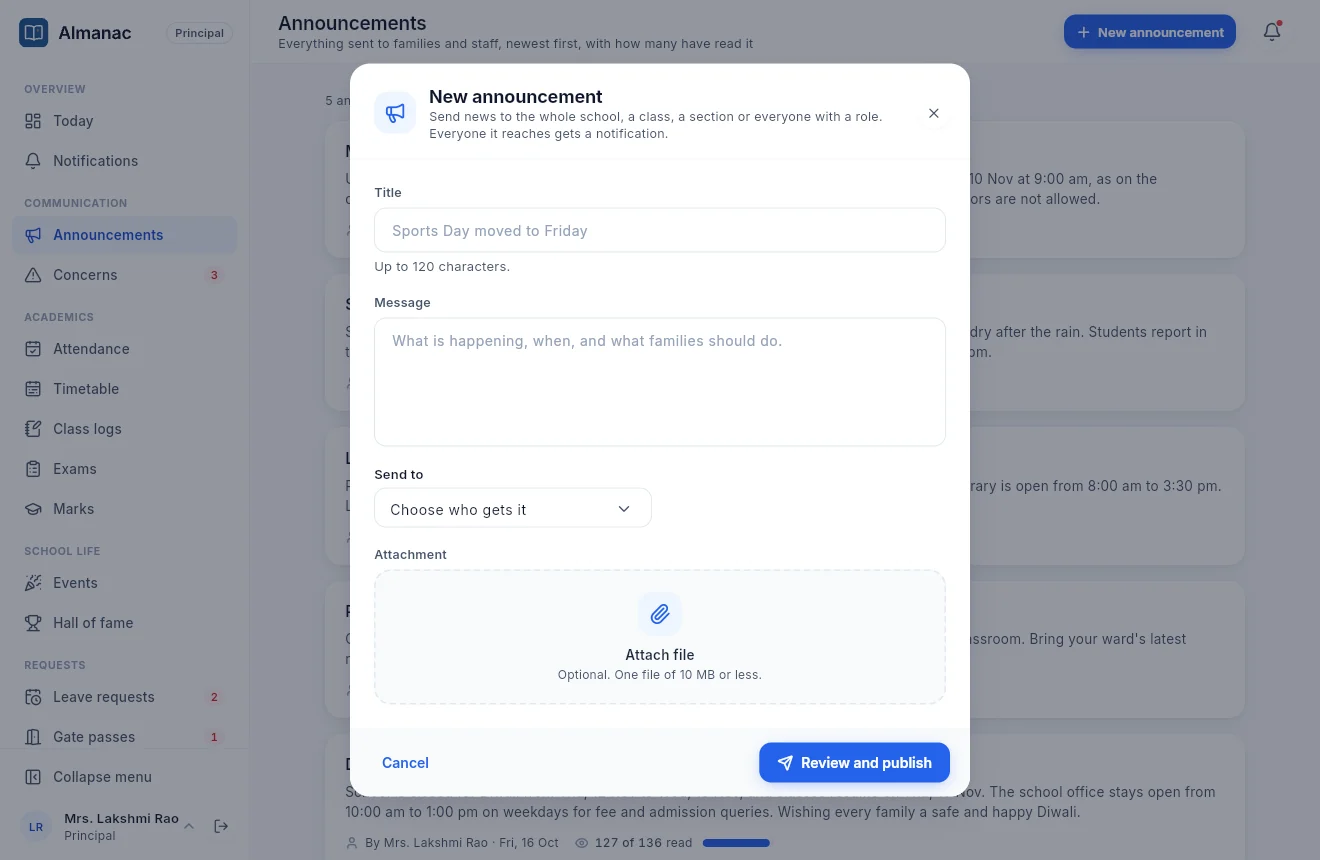
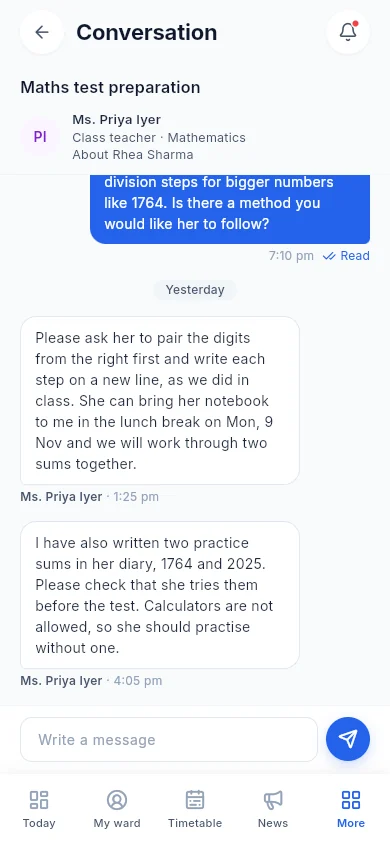
Teachers and parents talk in private threads about one student, with read receipts. School-wide news goes out as announcements, and you can see how many have read each one.
Every screen of the portal and the app comes in a light and a dark theme, with text sized and coloured to stay readable.
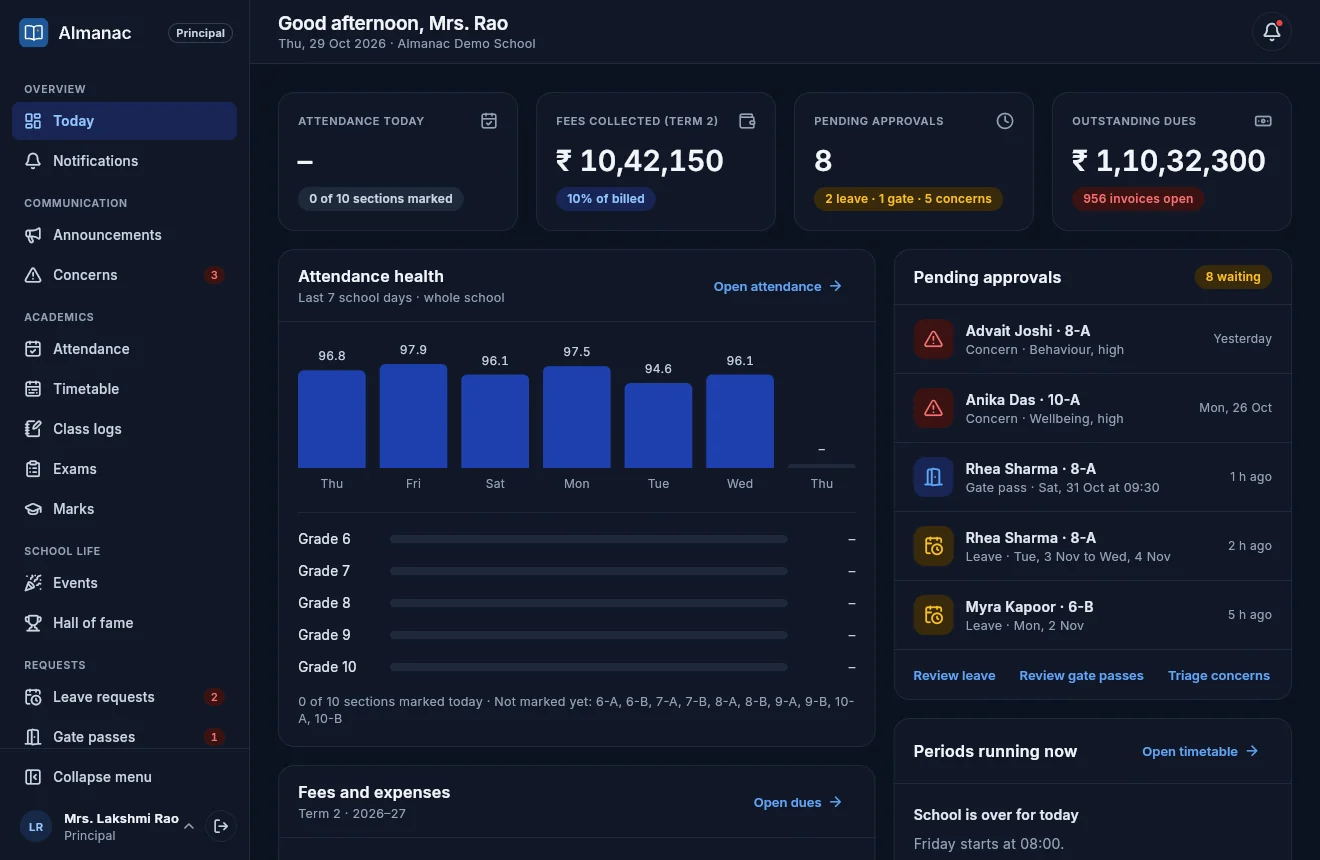
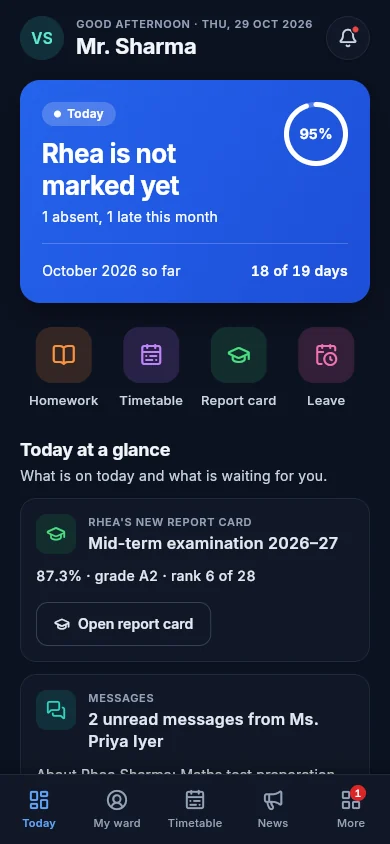
Real screens from Almanac, with demo data. Swipe or scroll through.
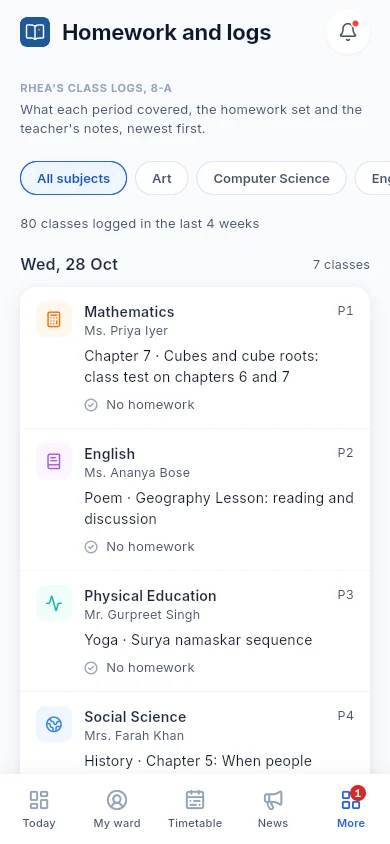
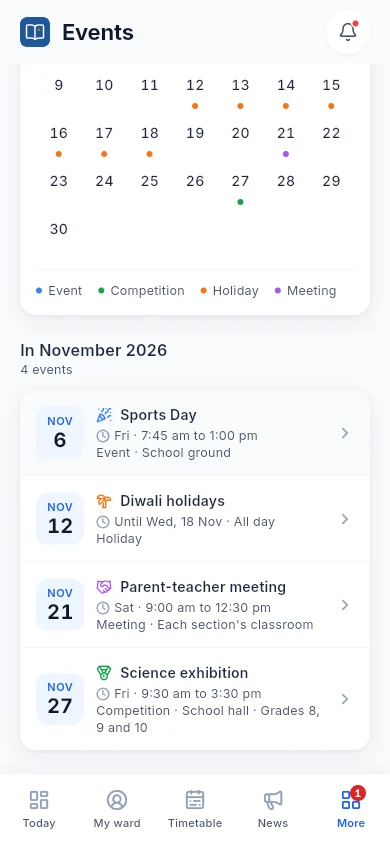
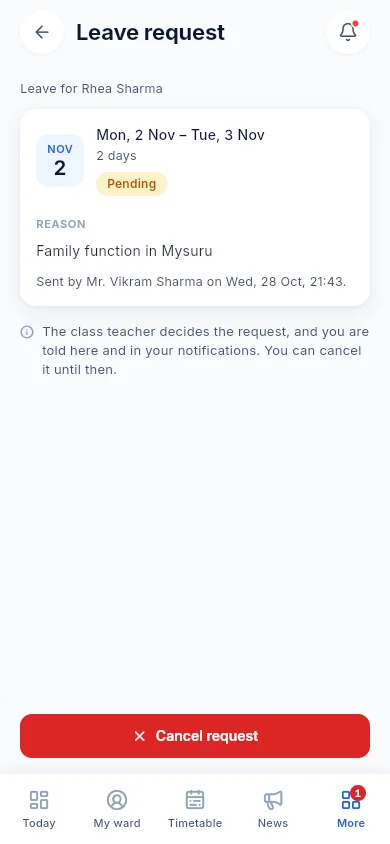
Every module shares the same students, staff and classes, so information flows where it is needed.
Parents see only their own children. Teachers see their own classes. The principal sees the whole school.
Fee entries, marks, approvals and profile changes are written to an audit log of who did what, and when.
Report cards and fee receipts print as clean, school-branded PDFs, ready to file or hand over.
We set Almanac up with you, so your staff can start on day one.
We walk you through Almanac using a school day like yours.
Send us your classes, sections, staff, students and fee heads. We load them in.
A hands-on walkthrough for the office and teachers on the portal and the app.
Parents and students sign in on the app with their mobile number.
No. Parents and students use the Almanac phone app only. The web portal is for the principal, the office and teachers.
Yes. Teachers can use the web portal or the phone app, and the app is made for things done in class: attendance, class logs, homework, messages and approvals.
Access depends on the role. A parent sees only their own children, a teacher sees the classes they teach, and the principal sees the whole school. Sensitive changes are kept in an audit log.
Yes. You set up academic years, terms, classes, sections, subjects and class teachers once, and every module uses them.
Not today. Almanac keeps the school's fee records: structures, term invoices, discounts, payments by cash, cheque, UPI or bank transfer, and PDF receipts. Ask us about payment collection when we talk.
Yes. Report cards and fee receipts are produced as PDFs with your school's name, ready to print or share.
Pricing is per student, per year, with plans for different school sizes and needs. Tell us about your school on the enquiry form and we'll send a quote.
Book a free demo. We'll show you the portal and the app, and answer every question your team has.